

Improve candidate experience now by acting on eight priorities: redesign your application flow for speed, write clearer job descriptions, automate acknowledgments, structure every interview, deliver decisions within 48 hours, connect onboarding to hiring promises, deploy automation where it removes friction, and measure cNPS alongside operational SLAs weekly.
- Redesign the application flow — cut form length to under 15 minutes. Quick win: 1–2 weeks.
- Rewrite job descriptions — add salary bands, remote/onsite status, and plain-language requirements. Quick win: 1 week.
- Automate acknowledgments — set an auto-reply within one hour of submission, then a human follow-up within 24 hours. Quick win: 3–5 days.
- Structure every interview — use scorecards, pre-briefs, and defined interviewer roles. Medium project: 3–4 weeks.
- Deliver decisions quickly — target a two-day response SLA from interview completion to candidate notification. Quick win: 1 week.
- Close the loop on rejections — send specific, respectful feedback to every interviewed candidate. Quick win: 1 week.
- Connect onboarding to hiring promises — hand off candidate artifacts to the onboarding team on day one. Medium project: 2–3 weeks.
- Measure and iterate — track cNPS, time-to-respond, and application drop-off on a weekly dashboard. Medium project: 2–4 weeks.
Key Takeaways
The most durable improvements to candidate experience come from treating it as an operational system with defined owners, SLAs, and metrics, not as a one-time initiative.
| Point | Details |
|---|---|
| Application length is the first fix | A majority of candidates abandon applications that take longer than 15 minutes; cut forms to the minimum. |
| 48-hour response SLA is the top lever | Delivering decisions within 48 hours of interview completion is the single most cited driver of positive candidate perception. |
| Five pillars frame the system | Clarity, speed, fairness, respect, and personalization each need an operational owner and a metric to sustain gains. |
| Measure cNPS and time-to-respond weekly | Combining experience signals with operational SLAs lets teams trace dips to specific touchpoints and assign targeted fixes. |
| Ixcommunities provides peer benchmarks | Members access benchmark surveys, recruiter mentorship, and peer playbooks to calibrate and accelerate candidate experience improvements. |
Table of Contents
- What is candidate experience, and why does it affect your hiring outcomes?
- How to improve candidate experience before anyone applies
- How do you remove friction from the application and screening process?
- What makes an interview experience worth a candidate's time?
- How should you handle offers, rejections, and feedback?
- Onboarding should complete the candidate experience, not restart it
- Where should you use automation, and where should you keep humans in the loop?
- What metrics actually tell you whether candidate experience is improving?
- How do fairness and accessibility show up in candidate experience?
- Ready-to-use templates you can deploy this week
- What do high-performing TA teams do that others don't?
- A TA leader's perspective on building candidate experience systems
- Ixcommunities gives TA leaders a direct path to peer benchmarks and proven playbooks
- Sources
What is candidate experience, and why does it affect your hiring outcomes?
Candidate experience is the sum of every perception a person forms about your organization from the moment they see a job posting through their first weeks of employment. It covers job descriptions, application UX, recruiter communication, interview quality, offer delivery, and onboarding, as TechTarget defines it in its end-to-end framing.
The business case is direct. Poor candidate experience reduces offer acceptance rates, lengthens time-to-fill, and damages employer brand with people who never joined. Qualtrics identifies fairness, timeliness, and personalization as the primary drivers of positive perception, and recommends surveys and data analysis to locate where processes break down. Two metrics anchor the measurement framework used throughout this guide: cNPS (candidate Net Promoter Score, which measures how likely a candidate is to recommend your process to a peer) and time-to-respond (the elapsed hours between a candidate action and your team's reply).
Why it matters at scale: Talent Board research summarized by SHRM links transparent communication and structured processes directly to employer brand outcomes, including referral rates and re-application intent.
How to improve candidate experience before anyone applies
The first lever is what candidates read before they submit anything. Revamp job descriptions and careers pages now; the payoff is better self-selection and lower early drop-off.
Job description checklist:
- State the role's core output in the first two sentences, not a list of duties.
- Separate "required" from "preferred" qualifications — most JDs conflate them, which discourages qualified candidates.
- Include remote/hybrid/onsite status and the primary work location.
- Add a salary band or range. Transparency here reduces mismatched applications and shortens negotiation cycles.
- Cap the requirements list at six to eight items. Longer lists correlate with lower application rates from underrepresented groups.
- Use plain language. Avoid internal acronyms and role-specific jargon that external candidates won't recognize.
Careers page checks:
- Test the application CTA on a mobile device. If it requires pinching or horizontal scrolling, fix it.
- Confirm the page loads in under three seconds. Slow load times increase bounce rates before a single form field is touched.
- Provide an accessible alternative application route (email or phone) for candidates who use assistive technology.
- Include a short, honest description of your hiring process and timeline so candidates know what to expect.
Pro Tip: When rewriting a JD, try this structure for the opening paragraph: "As a [Role Title] at [Company], you will [primary output in one sentence]. This role is [remote/hybrid/onsite] and reports to [Title]." Two sentences. No mission statement. Candidates read it in ten seconds and know if they qualify. For screen-reader accessibility, use proper heading tags in your ATS's HTML editor and avoid tables for layout.
How do you remove friction from the application and screening process?
Shorten the application and automate low-judgment tasks. That combination reduces drop-off and frees recruiter time for the conversations that actually require human judgment.
Greenhouse reports that a large share of candidates will not complete an application that takes longer than 15 minutes. SHRM's coverage of application drop-off reinforces the same pattern: long forms are the single largest source of early abandonment.
Friction-reduction checklist:
- Remove any field that duplicates information already on a resume or LinkedIn profile.
- Limit the application to name, contact, resume upload, and two to three role-specific screening questions.
- Test the mobile application flow end-to-end every quarter. Most ATS platforms render poorly on small screens by default.
- Disable "create an account" requirements for first-time applicants where your ATS allows it.
- Use conditional logic so candidates only see questions relevant to their role type.
Touchpoint flow (application through screening):
Once submitted, the candidate should receive an automated acknowledgment within one hour confirming receipt and naming the next step. Within three business days, a human recruiter either advances the candidate or sends a status update. No candidate should sit in silence for more than five business days at any stage.
Pro Tip: Combine automation and human accountability by setting your ATS to trigger an acknowledgment email immediately on submission, then flagging the application for recruiter review within 24 hours. The automated message handles logistics; the recruiter's first outreach handles relationship. Keep the automated message short: confirm receipt, name the timeline, and give one contact point for questions.
What makes an interview experience worth a candidate's time?
Make interviews structured, role-aligned, and candidate-centered. Structure removes evaluator bias, role-alignment keeps questions relevant, and candidate-centered design signals respect for the person's time.
Interview loop checklist:
- Pre-brief every interviewer at least 24 hours before the loop opens. Share the scorecard, the candidate's resume, and their assigned competency areas.
- Assign non-overlapping competency coverage across interviewers. Redundant questions waste candidate time and produce duplicate data.
- Set a time SLA: no interview should run more than 60 minutes without explicit candidate consent.
- Reserve the final 10 minutes of every interview for candidate questions. This is not optional.
- Schedule debrief sessions before the loop opens, not after. Pre-scheduled debriefs prevent the drift that causes candidates to wait days for a decision.
Sample scorecard structure:
| Competency | Evidence prompt | Rating anchor (1–4) |
|---|---|---|
| Problem-solving | Describe a time you resolved a process conflict | 1 = anecdotal, 4 = structured, data-backed |
| Communication | Walk me through how you aligned stakeholders | 1 = vague, 4 = clear audience mapping |
| Role-specific skill | 1 = foundational, 4 = expert application | |
| Culture contribution | How have you built inclusion in a past team? | 1 = general, 4 = specific, measurable |
Virtual interview standards: Test the video link before sending it to the candidate. Provide a dial-in backup. Confirm time zones in the calendar invite. For panel interviews, assign one interviewer as the candidate's point of contact for logistics so the candidate is not managing three separate email threads.

Pro Tip: Interviewer training does not need to be a half-day workshop. A 20-minute async video covering scorecard use, active listening, and legal question boundaries, followed by a 10-minute live Q&A, is enough to move the needle. Pair it with a one-page reference card interviewers can keep open during the call. For scaling this across teams, build the training into your ATS workflow so it triggers automatically when an interviewer is assigned.
How should you handle offers, rejections, and feedback?
Deliver decisions quickly and close the loop for every candidate who reached the interview stage. Speed protects your offer acceptance rate; respectful closure protects your employer brand.
Noon reports that most candidates say a negative interview experience changes their view of a company. A 48-hour response SLA from final interview to decision notification is the single most cited lever for reversing that dynamic.
Offer communication checklist:
- Call first, then follow with a written offer within the same business day.
- Name the decision timeline clearly: "We'll send the written offer by end of day Thursday."
- Prepare for negotiation by knowing your approved flex range before the call.
- Confirm start date, reporting structure, and onboarding logistics in the written offer.
Rejection note structure:
- Open with a specific acknowledgment of the candidate's time and a named stage they completed.
- State the decision clearly in one sentence. Do not bury it.
- Include one piece of specific, forward-looking feedback where legally permissible.
- Close with a genuine invitation to apply for future roles if appropriate.
Pro Tip: For feedback that is specific but low legal risk, tie it to the role's requirements rather than the candidate's personal attributes. "We prioritized candidates with direct experience managing distributed teams, which was a core requirement for this role" is specific, defensible, and useful. Avoid language that evaluates personality or potential.
Onboarding should complete the candidate experience, not restart it
Onboarding validates the candidate experience. Treat it as the final stage of the same journey, not a separate HR function. When the first week contradicts what was promised in interviews, trust erodes immediately.
Recruiter-to-onboarding handoff items:
- Transfer the candidate's full application file, interview notes, and any commitments made during the offer (schedule flexibility, equipment, role scope).
- Introduce the new hire to their hiring manager and onboarding coordinator by name before day one.
- Share the job description and any role-specific context the onboarding team needs to align the first-week agenda.
- Flag any candidate preferences or accessibility needs noted during the process.
First-week alignment checklist:
- Confirm that the role's stated responsibilities match the actual first assignments.
- Schedule a 30-minute check-in between the recruiter and new hire at the end of week one. This closes the loop and surfaces early misalignment before it becomes attrition.
- Verify that any benefits, tools, or resources mentioned during hiring are accessible on day one.
- Ask the new hire one question: "Is this what you expected?" The answer tells you whether your hiring process is accurate.
For a detailed view of recruitment process steps and handoff timing, the stage-by-stage guide covers SLAs through onboarding.
Where should you use automation, and where should you keep humans in the loop?
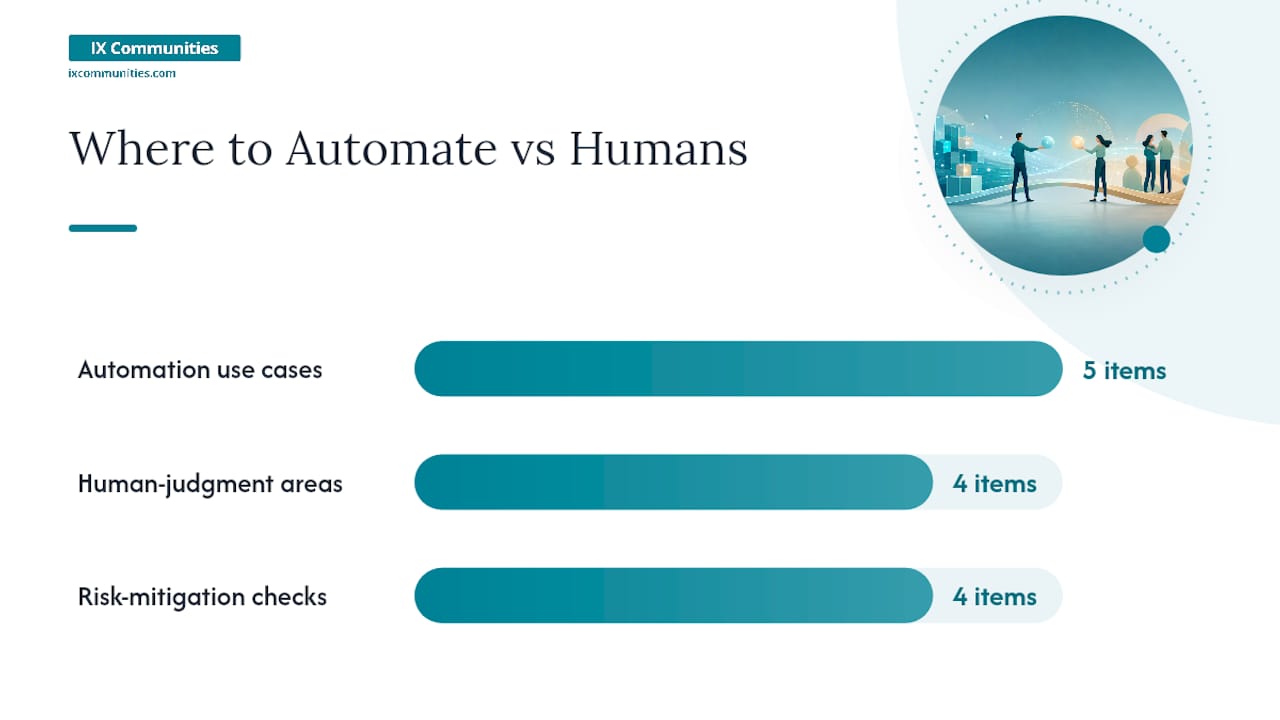
Automation should remove low-judgment friction and enable human moments, not replace them. IBM's guidance is direct: the most effective automation orchestrates workflows and fixes the moments where candidates wait, wonder, or work too hard. Durable improvement requires workflow redesign, not cosmetic fixes.
Where automation adds value:
- Acknowledgment emails triggered on application submission.
- Interview scheduling via self-serve calendar links.
- Status update notifications at defined stage transitions.
- Initial resume screening against defined, auditable criteria.
- Post-interview survey distribution.
Where human judgment must stay:
- Final candidate assessment and hiring decisions.
- Offer negotiation and verbal communication.
- Rejection calls for candidates who reached final-round interviews.
- Any conversation involving compensation, role scope, or start-date flexibility.
Risk-mitigation checklist:
- Audit automated screening criteria quarterly for adverse impact patterns.
- Maintain a log of every automated decision point so you can explain the process to candidates who ask.
- Disclose to candidates when AI tools are used in screening. Transparency here is both an ethical standard and an emerging legal requirement in several U.S. jurisdictions.
- Test automated communications for tone before deploying them at scale.
Pro Tip: Think of automation as an orchestration layer, not a replacement layer. The goal is to handle logistics so recruiters spend their time on assessment, relationship, and judgment. If an automation step requires a human to review its output before it acts, you have orchestration. If it acts without review, you have replacement. The former scales well; the latter creates risk.
For a broader view of the tech stack leading TA teams use, including ATS and scheduling tools, the 2026 guide covers vendor-agnostic evaluation criteria.
What metrics actually tell you whether candidate experience is improving?
Measure both experience signals and operational SLAs, then link them in routine audits. Qualtrics recommends combining survey data with process metrics to locate friction points and prioritize fixes.
Core metrics framework:
| Metric | What it measures | Suggested target | Owner |
|---|---|---|---|
| cNPS (candidate Net Promoter Score) | Overall experience perception | a moderately positive score | TA lead |
| Time-to-respond | Hours from candidate action to recruiter reply | Under 24 hours | Recruiter |
| Application drop-off rate | % of started applications not submitted | a low application drop-off | TA ops |
| Interview-to-offer conversion | % of interviewed candidates who receive an offer | Benchmark to role type | Hiring manager + TA |
| Offer acceptance rate | % of offers accepted | generally high acceptance rate | TA lead |
Audit cadence:
- Weekly: Review time-to-respond and application drop-off on a live dashboard. Flag any stage where candidates waited more than 48 hours.
- Monthly: Pull cNPS from post-interview surveys. Segment by role type, recruiter, and hiring manager to identify patterns.
- Quarterly: Run an end-to-end audit. Map every touchpoint, compare survey scores to operational data, and identify the two or three highest-impact fixes for the next quarter.
When a metric dips, trace it to a specific touchpoint before assigning a fix. A drop in cNPS paired with a spike in time-to-respond points to a communication SLA problem. A drop in offer acceptance paired with stable cNPS points to compensation or role-scope misalignment. Treat the data as a diagnostic, not a verdict. For recruiting best practices and KPI frameworks, the operational guide covers target-setting by role volume and function.
How do fairness and accessibility show up in candidate experience?
Fairness and accessibility are core UX requirements, not optional extras. Candidates notice when stated DEI values don't appear in the actual process. Misalignment between employer-brand claims and interview behavior is one of the fastest ways to lose trust with the candidates you most want to hire.
Accessibility checklist:
- Confirm your careers page and application form meet WCAG 2.1 AA standards.
- Provide an alternative application route (email or phone) for candidates who cannot use the online form.
- Include captions on any video content used in the hiring process.
- Test your ATS with a screen reader annually. Most platforms have gaps that require manual configuration.
- State in the job posting that accommodations are available and name the contact point.
Inclusive language checks:
- Remove gendered language from job descriptions (tools like Textio or Gender Decoder can flag patterns).
- Avoid culturally specific idioms in interview questions that may disadvantage non-native English speakers.
- Use "required" and "preferred" consistently rather than "must have" and "nice to have," which carry different implied urgency.
Brand-alignment checks:
- Compare your stated DEI commitments to your actual interview panel composition. If your careers page features diverse teams but every interview panel is homogeneous, candidates notice.
- Review rejection feedback for consistency across demographic groups. Inconsistent feedback is both a fairness risk and a legal exposure.
- Audit your structured interview questions annually to confirm they remain role-relevant and free of proxy bias.
Pro Tip: Run a "candidate shadow" exercise once per quarter: have a TA team member go through the full application and interview process as a test candidate, using a mobile device and a screen reader. The gaps you find in 30 minutes will be more specific than any vendor audit.
Ready-to-use templates you can deploy this week
Prioritize three templates: the 48-hour acknowledgment, the interviewer brief, and the post-interview survey. These three cover the highest-impact touchpoints and can be piloted within a week.
Template 1: Application acknowledgment (send within 1 hour of submission)
- Subject: "We received your application for [Role Title]"
- Body: Confirm receipt, name the next step ("A recruiter will review your application within three business days"), provide one contact point for questions, and close with the hiring timeline.
Template 2: Interviewer brief (send 24 hours before the interview)
- Candidate name, role, and resume link.
- Assigned competency areas and scorecard link.
- Interview format, duration, and time zone.
- One-line reminder: "Reserve the final 10 minutes for candidate questions."
- Legal reminder: a three-bullet list of question categories to avoid.
Template 3: Post-interview candidate survey (send within 2 hours of interview completion)
- Q1: "How would you rate your overall interview experience?" (1–10 scale)
- Q2: "Did the interview reflect what was described in the job posting?" (Yes/No + open field)
- Q3: "Is there anything we could have done to make the process better?" (open field)
- Keep it to three questions. Response rates drop sharply above five.
Piloting and measuring impact in 30 days:
Deploy one template per week. In week four, pull response rates, cNPS scores, and recruiter time-on-task data. Compare to the prior month's baseline. A well-structured acknowledgment template typically reduces inbound "where is my application?" inquiries, which is a measurable proxy for candidate anxiety and process clarity. For evidence-based assessment design, including scorecard construction, the guide covers competency mapping and rating anchor development.
What do high-performing TA teams do that others don't?
High-performing teams treat candidate experience as a system built around five pillars: clarity, speed, fairness, respect, and personalization. Each pillar has an operational owner, a defined SLA, and a metric. Teams that treat candidate experience as a project rather than a system see short-term gains that erode within two quarters.
What separates leading teams:
- They assign pillar ownership. Speed has an owner. Fairness has an owner. When a metric dips, there is a named person accountable for the root-cause analysis.
- They schedule debriefs before interview loops open, not after. This eliminates the most common source of candidate wait time.
- They personalize at scale by building candidate-specific signals into templated communications. A recruiter note that references one detail from a candidate's background takes 90 seconds and measurably improves perception.
- They benchmark externally. Internal data tells you whether you improved. External benchmarks tell you whether you improved enough.
For a deeper look at what the best hiring organizations do differently, the systems-focused guide covers process design behaviors that separate top-quartile teams.
To socialize a benchmark in your organization:
- Pull your current cNPS and time-to-respond data.
- Compare to published benchmarks from Talent Board or your peer network.
- Identify the one metric where the gap is largest.
- Propose a 30-day pilot targeting that metric with one process change.
- Report results to leadership with before/after data.
A TA leader's perspective on building candidate experience systems
Start with the process, not the technology. The most common implementation failure is purchasing a new ATS or chatbot before fixing the underlying workflow it will automate. Automating a broken process makes it faster and harder to fix.
The real prioritization challenge is people versus tech investment. Most TA teams underinvest in interviewer training and overinvest in scheduling tools. A well-trained interviewer who gives specific, timely feedback does more for candidate experience than any scheduling automation. Technology handles logistics; people handle trust. The right sequence is to fix the human moments first, then automate the logistics around them.
The teams that sustain improvement share one behavior: they treat candidate feedback as operational data, not sentiment. When a cNPS score drops, they trace it to a specific touchpoint, assign a fix, and report the outcome. That discipline, applied consistently, is what separates a candidate experience system from a candidate experience initiative.
Pilot one change this week, measure it for 30 days, and bring the data to your next leadership review. Peer feedback from TA leaders who have run the same pilots is often the fastest way to calibrate what is worth scaling.
Ixcommunities gives TA leaders a direct path to peer benchmarks and proven playbooks
TA leaders who want to move from initiative to system need two things that internal resources rarely provide: external benchmarks and peer accountability. Ixcommunities delivers both through its ESIX, TLIX, and IX Communities peer groups, where corporate talent and recruiting leaders benchmark processes, share operational playbooks, and access recruiter mentorship in a secure environment.
Members access benchmark surveys covering candidate experience metrics, cNPS targets, and SLA standards across peer organizations. ESIX Recruiter Peer Mentorship Programs connect TA leaders with experienced peers who have built and scaled candidate experience systems at large corporate functions. Additional membership benefits include guest speaker sessions, recruiter training courses, proprietary guidebooks, and technology benchmarking tools. To explore membership and see which community fits your function, visit the Ixcommunities membership page.
Sources
- How to Improve Candidate Experience with AI | IBM
- Candidate experience: 10 ways to improve and personalize it at scale · Metaview Blog
- What is candidate experience? | Greenhouse
- Candidate experience: Definition & Best Practice Guide | Qualtrics
- Candidate Experience: 10 Ways to Improve and Personalize It at Scale in 2026 | Noon Blog
- Candidate experience definition and guidance | TechTarget